
-
LADSIM
 View
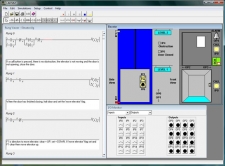
ViewLADSIM is a fully functional ladder logic design and PLC simulation software program that incorporates the functions used in PLC ladder programming. LADSIM uses the PC as a virtual PLC.
LADSIM includes a visual editing environment for graphical programming. A simple ‘drag and drop’ method is used to add functions to the ladder rung, and comments can be added to each rung for documentation purposes. LADSIM functions include inputs, outputs, timers, counters, flags and shift registers. An interactive debugger is included allowing the program to be tested before being used to control a specific application.
LADSIM has eight internal simulations; Annunciator, Traffic Light, Car Park, Elevator, Drinks Machine, Packing Line, Bottling Plant, and the ICT3. Each simulation is designed to aid and test knowledge of programming in ladder logic.
LADSIM has the ability to be connected to external devices, through a suitable interface. The student can start with the internal simulations and then move onto the ICT3 simulation once completed it is then possible to connect an actual ICT3, using an interface card and control this through the real I/O. The courseware begins with a general introduction to PLCs, the various programming methods available and the fundamentals of ladder logic programming and then moves onto the functions of LADSIM. Developing programs to monitor and control each of the simulations is part of the curriculum coverage.
-
PCUSIM
 View
ViewPCUSIM is a simulation software used to teach process control. The program is aimed at further and higher education students learning process engineering and process control using Three Term Control (PID) methods.
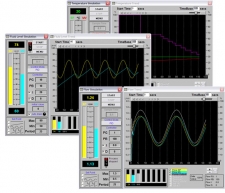
PCUSIM has a graphical display of all data in real time. Graphs can be analysed, rewound, saved and printed. Experiments for flow, level, temperature and batch can be performed. Students can perform the same experiments many times with the same initial condition and different control parameters, allowing closer comparisons of outcomes.
For each of the control screens in flow, level, temperature and batch, displays show : start and stop buttons, the control module, the principle variables being measured, PID parameters, set-point; real-time graph with start time and time base, state of current reading and reading being examined with tick boxes for each traces to displayed.
Courseware manual and build in help files provided to allow students to proceed without full time supervision.